| From: | ryaz aws <ryazaws(at)gmail(dot)com> |
|---|---|
| To: | pgsql-admin(at)lists(dot)postgresql(dot)org |
| Subject: | PGAdmin(psql tool issue) |
| Date: | 2022-01-20 21:35:21 |
| Message-ID: | CACW0qq-7iMjfqoV+smW=kgp7CoUKABLjQVTH0uFJ_feLtfgo7g@mail.gmail.com |
| Views: | Whole Thread | Raw Message | Download mbox | Resend email |
| Thread: | |
| Lists: | pgadmin-support pgsql-admin |
Hi Team,
I installed the pgadmin web version and enabled the psql tool -
ENABLE_PSQL=True.
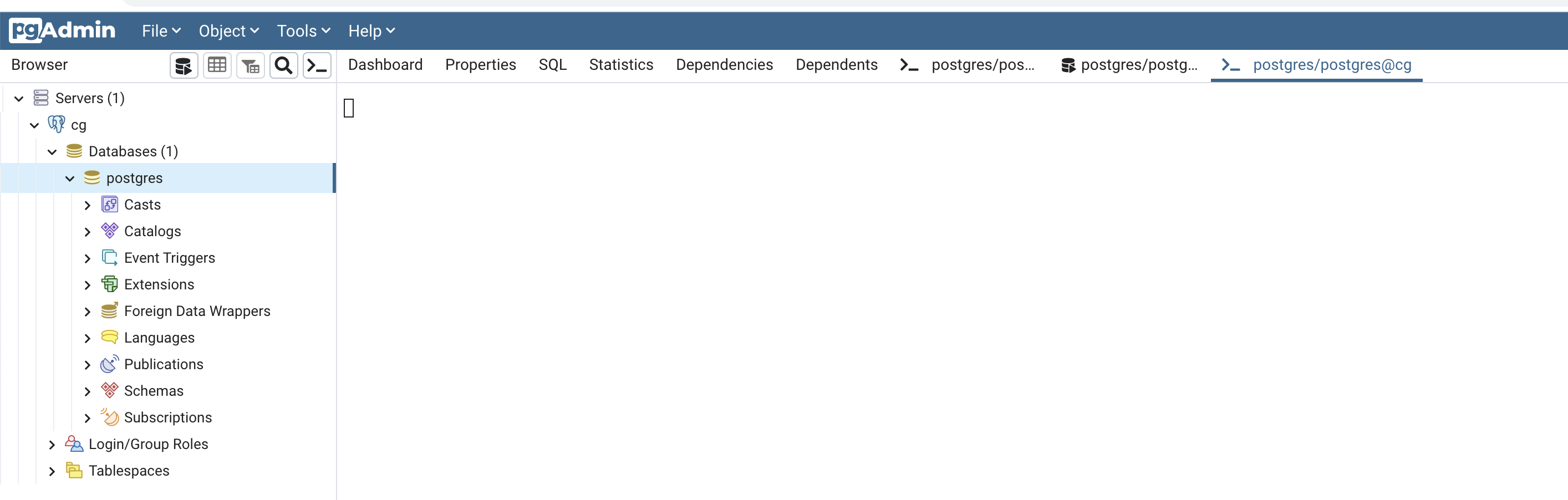
However the psql tool does not show a prompt to execute commands, it just
has a cursor that blinks on a blank page, attached the screenshot.
Tried changing the bin path in preferences i.e. by default set to /usr/bin,
that did not help.
Note: This works on the Desktop version.
Best Regards,
Ryaz
| Attachment | Content-Type | Size |
|---|---|---|
| Screen Shot 2022-01-20 at 4.31.30 PM.png | image/png | 182.9 KB |
| From | Date | Subject | |
|---|---|---|---|
| Next Message | Scott Ribe | 2022-01-20 22:02:38 | Re: PGAdmin(psql tool issue) |
| Previous Message | Peter | 2022-01-20 21:09:50 | Rel. 6.4: Icons are showing UTF glyphs (uWSGI issue) |
| From | Date | Subject | |
|---|---|---|---|
| Next Message | Scott Ribe | 2022-01-20 22:02:38 | Re: PGAdmin(psql tool issue) |
| Previous Message | Ron | 2022-01-20 18:16:42 | Re: Gauging progress of COPY? |