Re: PGAdmin 4: session detail case long SQL
| From: | Alain Dupeyron <adupeyron(at)yahoo(dot)fr> |
|---|---|
| To: | Aditya Toshniwal <aditya(dot)toshniwal(at)enterprisedb(dot)com> |
| Cc: | "pgadmin-support(at)lists(dot)postgresql(dot)org" <pgadmin-support(at)lists(dot)postgresql(dot)org> |
| Subject: | Re: PGAdmin 4: session detail case long SQL |
| Date: | 2019-12-16 15:15:42 |
| Message-ID: | 1147433681.25112325.1576509342835@mail.yahoo.com |
| Views: | Whole Thread | Raw Message | Download mbox | Resend email |
| Thread: | |
| Lists: | pgadmin-support |
executing "show track_activity_query_size" give me "1KB" the default value.
I will try to increase this setting but it require db restart...
In PGAdmin 3 (on oldest PG v9.4), in tool server state, I was using for that purpose, the button that launch the query editor for the selected session and the entire SQL command was displayed.
Le lundi 16 décembre 2019 à 15:57:47 UTC+1, Aditya Toshniwal <aditya(dot)toshniwal(at)enterprisedb(dot)com> a écrit :
Hi,
On Mon, Dec 16, 2019 at 7:30 PM Alain Dupeyron <adupeyron(at)yahoo(dot)fr> wrote:
Hi Aditya,
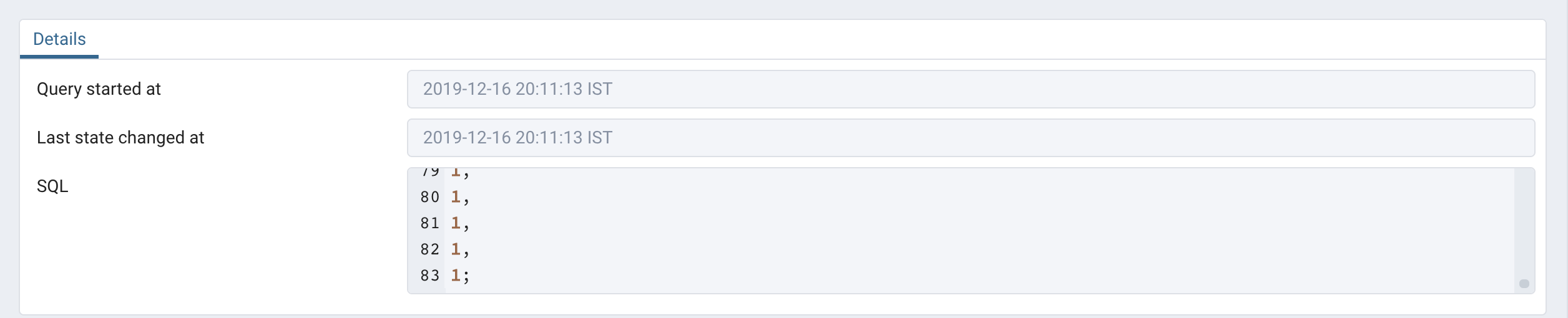
I have "very" long queries formatted on multilines. See screenshot below with 23 lines but SQL is truncated...
I have just updated to PGAdmin 4.16, SQL field seem to be longuer but still truncated in my case
OK. So I guess the param track_activity_query_size might be less for you DB. Refer - https://www.postgresql.org/docs/12/runtime-config-statistics.html
pgAdmin uses pg_stat_activity to fetch the query. It depends on track_activity_query_size how much size of the query is tracked.To check, execute show track_activity_query_size in query tool.
Thanks
Alain
Le lundi 16 décembre 2019 à 13:19:48 UTC+1, Aditya Toshniwal <aditya(dot)toshniwal(at)enterprisedb(dot)com> a écrit :
Hi Alain,
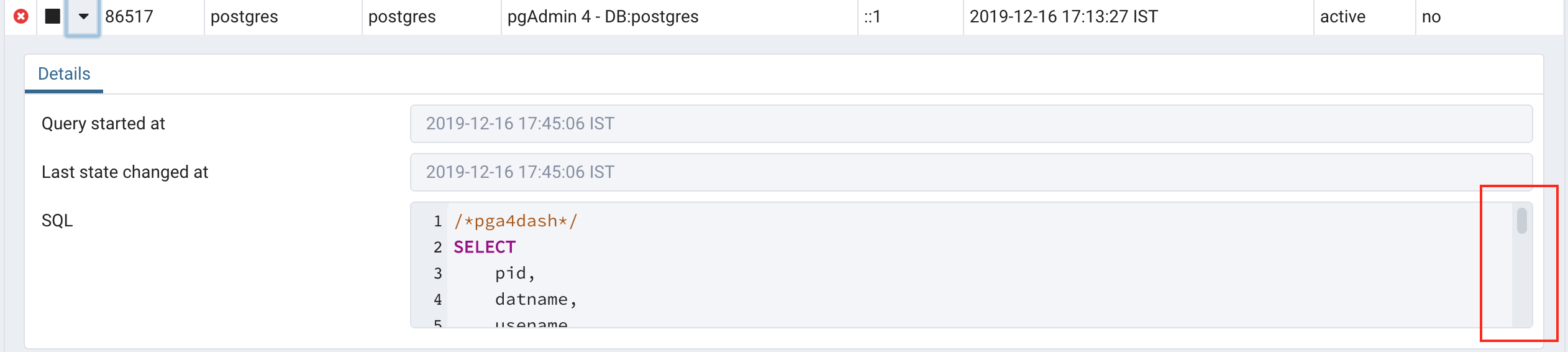
You can scroll it. Please check the screenshot below:
On Mon, Dec 16, 2019 at 3:32 PM Alain Dupeyron <adupeyron(at)yahoo(dot)fr> wrote:
Hi,
In PG Admin 4, I use the dashboard, server activity to explore sessions on PG v12.1.
In the Details panel of the session, I can see the start of the SQL, but when it's a long text query on multiple lines, How can I access the entire SQL command ?
In PGAdmin 3 (on oldest PG v9.4), in tool server state, I was using for that purpose, the button that launch the query editor for the selected session with the entire SQL command.
Thanks for your suggestions !
--
Thanks and Regards,Aditya ToshniwalSr. Software Engineer | EnterpriseDB India | Pune"Don't Complain about Heat, Plant a TREE"
--
Thanks and Regards,Aditya ToshniwalSr. Software Engineer | EnterpriseDB India | Pune"Don't Complain about Heat, Plant a TREE"
| Attachment | Content-Type | Size |
|---|---|---|
|
image/png | 59.0 KB |
| Screenshot 2019-12-16 at 17.45.49.png | image/png | 93.3 KB |

|
image/jpeg | 20.2 KB |
In response to
- Re: PGAdmin 4: session detail case long SQL at 2019-12-16 14:56:08 from Aditya Toshniwal
Responses
- Re: PGAdmin 4: session detail case long SQL at 2019-12-16 15:53:36 from Guillaume Lelarge
Browse pgadmin-support by date
| From | Date | Subject | |
|---|---|---|---|
| Next Message | Guillaume Lelarge | 2019-12-16 15:53:36 | Re: PGAdmin 4: session detail case long SQL |
| Previous Message | Aditya Toshniwal | 2019-12-16 14:56:08 | Re: PGAdmin 4: session detail case long SQL |